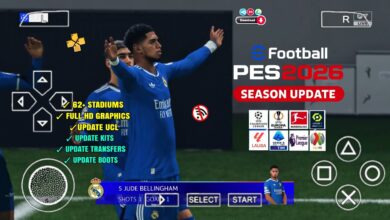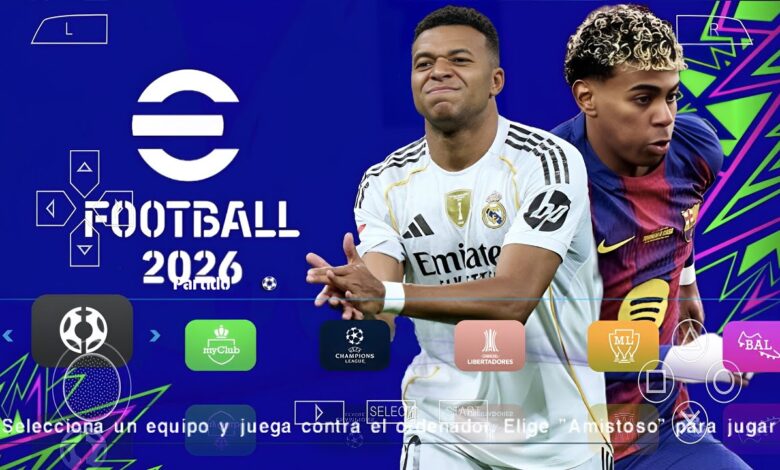
Download eFootball PES 2026 PPSSPP for Android, Windows and iOS, and enjoy the updated 2025-2026 football season on the PPSSPP emulator.
Introducing: eFootball PES 2026 PPSSPP
eFootball PES 2026 PPSSPP is an updated PSP football game made for players who want the latest football season on their phones or PC. This version includes new transfers, updated player ratings, new club kits, new faces, fresh stadium graphics and better gameplay.
It is a mod of the original PES PSP game, upgraded with new textures and season updates that match the 2025-2026 football year. The game runs smoothly on PPSSPP and works offline. You can play full seasons, join cups, manage clubs and enjoy simple controls that feel easy on any device. Because the game is based on PSP, it works well even on low-end phones.
Game Information
| Title | eFootball PES 2026 PPSSPP |
|---|---|
| Platform | PSP (via PPSSPP Emulator) |
| Season Update | 2025-2026 |
| File Format | ISO (Highly Compressed) |
| Modes | Master League, Exhibition, Cup Mode, Training |
| Supported Devices | Android, Windows, iOS |
Download eFootball PES 2026 PPSSPP for all device
The PES 2026 PPSSPP ISO comes in a compressed file, so players can download it faster and save storage space. After extracting, you get a full PSP game that works perfectly on PPSSPP Gold or the normal PPSSPP app. The ISO contains all updated clubs, leagues, teams and new player transfers from the modern football season.
You can play this ISO on PPSSPP Gold, Rocket PSP Emulator, RetroArch PSP core, PSP Emulator Pro, Rapid PSP Emulator, PSPlay PSP Emulator, Golden PSP Emulator and other working PSP apps. The game loads fast and does not lag on most Android phones. On Windows laptops, the graphics look even better when you increase the emulator resolution. The game works offline and does not require internet once installed. This makes it easy to enjoy anywhere.
What’s New in PES 2026 PPSSPP
This updated season includes many fresh changes:
- Latest 2025-2026 transfers for all major leagues
- New kits and club uniforms
- Updated player faces and hairstyles
- New background music and menus
- Better grass textures and HD pitch
- Upgraded stadium lighting and crowds
- Improved gameplay and player movement
- New camera options, including PS5-style camera
Everything is designed to make the game feel modern while still keeping the original PSP experience.
Gameplay Overview
eFootball PES 2026 PPSSPP offers simple football gameplay that is easy for anyone to enjoy. Passing, dribbling and shooting feel smooth. The ball physics are better than older versions. Players move comfortably and respond faster because of upgraded animations. Master League mode lets you run your own team, sign players and play long seasons.
Exhibition mode is useful for quick matches. Cup mode allows you to compete in tournaments with any team. The new faces, kits and transfers make these modes look fresh. The CPU plays smarter. Strikers take better runs, defenders close gaps faster and midfielders pass more accurately. This makes matches more enjoyable without being too hard. PPSSPP settings also allow you to boost graphics. You can increase resolution, sharpen textures and adjust controls for a comfortable layout.
Why Many Players Love PES 2026 PPSSPP
Players enjoy this PES version because it is light, fast and updated. The game runs well without needing a powerful phone. You do not need internet. The controls are simple, and the graphics look modern when using HD texture options. Fans also love the updated team lists.
Big clubs such as Real Madrid, Barcelona, Manchester United, Chelsea, Bayern Munich, PSG, Arsenal, Inter Miami and others have their latest 2026 squads. This makes matches feel current. Another reason players enjoy it is because the file size is small. The game is easy to install and works well even with low storage.
Features of eFootball PES 2026 PPSSPP
- Small ISO file that downloads quickly
- Latest 2025-2026 season players and transfers
- Updated club kits and logos
- Works on all PPSSPP emulators
- Offline gameplay
- HD grass and new stadium textures
- Improved AI and player movement
- Fast loading and smooth performance
How to Install PES 2026 PPSSPP on Android
- Download the PES 2026 PPSSPP ISO file.
- Open ZArchiver and extract the ZIP or RAR file.
- Move the ISO to your PSP or GAME folder.
- Launch the PPSSPP emulator.
- Find the ISO file.
- Tap it to start playing.